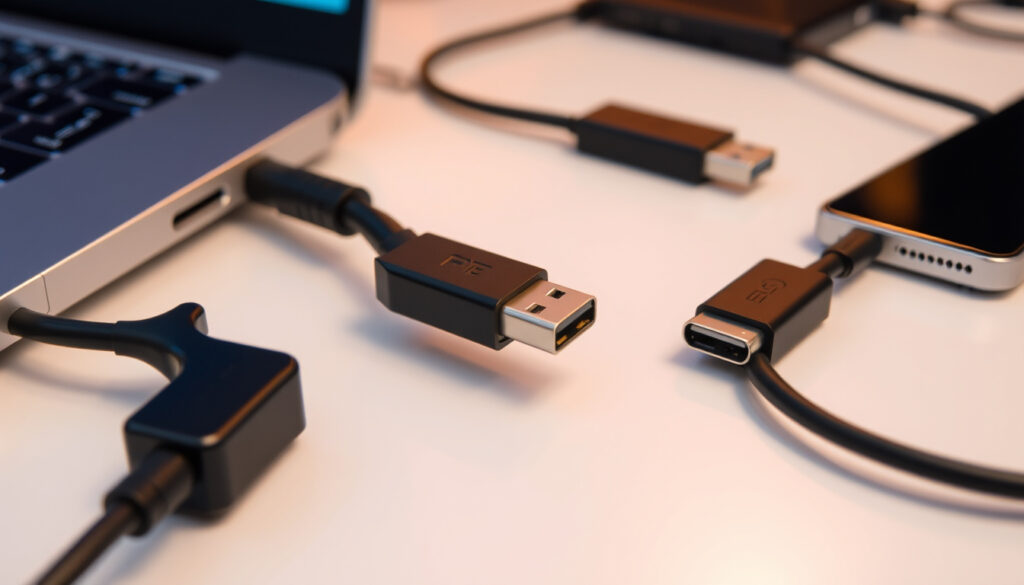
USB-C to USB Adapter: Guide, Compatibility & Top Picks
If you’ve upgraded to a laptop or tablet in the last few years, you’ve probably run into the same frustration: a drawer full of USB-A cables and accessories with nowhere to plug them in. USB-C ports are now standard on almost every device, which means a USB-C to USB adapter has become one of those small but essential tools you’ll reach for daily. This guide breaks down how these adapters work, which models actually perform well, and what to watch out for before you buy.
Apple model price: €25 · Supported devices: iOS devices, USB accessories · Data speed example: USB 3.0 compatible · Common use: Connect USB-A devices to USB-C ports · OTG support: Charging and data transfer
Quick snapshot
- Adapters connect USB-A devices to USB-C ports (Harvey Norman Ireland)
- Apple model works with iOS devices and Thunderbolt 3 (USB-C) Macs (Apple Ireland)
- Top models support 5 Gbps USB 3.0 speeds and 3A charging (CSI Ireland)
- Whether universal compatibility works across every device combination
- Long-term durability rates for budget models
- Exact failure rates reported for specific brands
- MacBook Pro USB-C support started after 2016 (Syntech Review)
- MacBook Air added USB-C from 2018 onwards (Syntech Review)
- 2026 reviews show Anker and Basesailor leading rankings (Syntech Review)
- USB-C adoption continues as EU mandates the standard
- Adapters remain essential bridge during transition period
- Prices stable in €10-€25 range for quality models
Here’s how the top USB-C to USB adapters compare on specs and availability across Irish retailers.
| Specification | Value |
|---|---|
| Connector types | USB-C male to USB-A female |
| Typical speed | USB 2.0 or 3.0 |
| Key feature | Backward compatibility |
| Price range | €10-€25 |
Can USB-C be converted to USB?
USB-C is a connector standard, not a protocol—you need an adapter to connect a USB-A device to a USB-C port. The USB-C to USB adapter acts as a physical bridge, converting the smaller USB-C female port on your device into a standard USB-A female port you can plug traditional cables and accessories into.
Direct plug vs adapter needs
Modern laptops and tablets have USB-C ports exclusively, which means any USB-A accessory—a flash drive, keyboard, mouse, or printer—requires an adapter. Direct USB-A to USB-C cables exist, but they don’t solve the reverse problem of adding a USB-A port to a USB-C-only device.
For €10-€25, you can bridge years of USB-A accessories to your USB-C device without replacing every cable in your setup.
Supported speeds
The fastest USB-C to USB adapters support USB 3.0 speeds of up to 5 Gbps, which is roughly ten times faster than USB 2.0. The DIGITUS adapter, available from CSI Ireland, delivers 5 Gbps data transfer and up to 3A power supply. Most adapters on the market list either USB 2.0 (480 Mbps) or USB 3.0 (5 Gbps)—check the specs before buying if speed matters for your workflow.
Charging through an adapter can be slower or inconsistent on some device-and-adapter combinations. The Manhattan adapters list 3A charging support, which covers most standard USB charging needs. Apple’s official USB-C to USB adapter, available at Apple Ireland, is designed specifically for iOS device charging and data transfer, making it the safer choice if you’re primarily connecting iPhones or iPads.
What would I use a USB-C to USB Adapter for?
The most common reason people buy these adapters is to connect their existing USB-A accessories to newer devices that only have USB-C ports. A single adapter can revive an entire setup of peripherals you already own.
Connecting legacy devices
Most USB accessories on the market still use USB-A connectors: external hard drives, older printers, wired mice and keyboards, card readers, and USB hubs. The Manhattan adapter set, sold at Harvey Norman Ireland, includes both USB-C to USB-A and USB-A to USB-C adapters in one pack—useful if you need bidirectional compatibility.
Examples: mice, keyboards, drives
- Connect a wired USB mouse or keyboard to a USB-C laptop
- Access files from a USB-A flash drive on a USB-C tablet
- Hook up an older printer without wireless connectivity
- Use external hard drives with USB-A cables on USB-C devices
- Charge iOS devices via Camera Connection Kit or direct adapter
The pattern: most households have accumulated USB-A accessories over a decade or more, making these adapters a practical bridge rather than a niche accessory.
What are the common problems with USB-C adapters?
Not every adapter works flawlessly with every device. Connection failures, charging inconsistencies, and slower-than-expected data transfer are the most frequently reported issues in reviews and user forums.
Connection failures
Some cheaper adapters struggle with secure fit—loose connections cause intermittent disconnects, especially with heavier cables or accessories that put pressure on the adapter. Quality matters here: Anker’s adapters, which rank #1 in 2026 reviews according to YouTube reviewer compilations, receive praise for their secure, solid build. Budget models like Basesailor offer good value but may show more variation in connection stability based on user reports.
A loose adapter becomes frustrating daily—look for models with reinforced connectors or aluminum housings if you plan to leave one plugged in permanently.
Charging issues
The catch: USB Power Delivery (PD) requires specific adapter designs to deliver full charging speeds. Budget adapters may support only standard USB charging (5V/1A) rather than fast charging protocols.
Is it okay to use a USB to USB-C adapter?
Using a USB-C to USB adapter is perfectly safe when you choose a quality product that matches your device’s requirements. The key is ensuring the adapter supports the features you need—data transfer, charging, or both.
Direction matters
USB-C to USB adapters are directional: they convert a USB-C port on your device into a USB-A port for accessories. You cannot use one to connect a USB-C accessory to a USB-A port on an older computer. For that reverse scenario, you’d need a USB-A to USB-C adapter instead—Manhattan sells a set that includes both directions.
Risks of poor quality
Cheap adapters with substandard components can cause voltage fluctuations, data corruption during transfers, or device recognition failures. According to TechAdvisor buying guide, using reputable brands and certified products reduces these risks significantly. Look for adapters with overcurrent protection and proper shielding if you’re using them for data-intensive tasks.
Spending €15-€25 on a known brand like Anker or Apple protects your devices from voltage spikes and connection failures that cheap knockoffs can cause.
Is USB being phased out for USB-C?
Yes, USB-C is rapidly becoming the universal standard. The European Union has mandated that all consumer electronics sold in EU countries must support USB-C charging by 2024, accelerating the transition across all device categories from smartphones to laptops.
Adoption reasons
USB-C offers several advantages over USB-A: a reversible connector, faster data transfer speeds, higher power delivery for charging, and support for alternate modes like video output. Device manufacturers are adopting USB-C to reduce port clutter and meet regulatory requirements, which means USB-A ports are increasingly rare on new devices.
Backward compatibility
The good news is that USB-C to USB adapters make the transition manageable. Whether you’re using an older printer, a USB-A flash drive, or legacy peripherals, these adapters let you keep using your existing accessories without replacing everything at once. Irish retailers like CSI Ireland and Harvey Norman Ireland stock EU-compliant adapters, so Irish buyers can find locally available options that meet standards.
What this means: expect USB-A accessories to remain common for years, even as USB-C becomes the default on new devices. Adapters aren’t a temporary fix—they’re a long-term part of most people’s connectivity toolkit.
Here’s how the top USB-C to USB adapters compare on specs and availability across Irish retailers. Here’s how the top Адаптер USB-C до USB compare on specs and availability across Irish retailers.
| Model | Speed | Charging | Price range | Availability |
|---|---|---|---|---|
| Anker USB-A to USB-C | USB 3.0 (5 Gbps) | Up to 3A | €15-€20 | Online, Irish retailers |
| Basesailor 2-Pack | USB 3.0 (5 Gbps) | Fast charging | €10-€15 | Online |
| Manhattan Bidirectional Set | USB 3.0 (5 Gbps) | 3A | €12-€18 | Harvey Norman Ireland |
| DIGITUS USB-A to USB-C | USB 3.0 (5 Gbps) | 3A | €10-€15 | CSI Ireland |
| Apple USB-C to USB | USB 3.0 | iOS optimized | €25 | Apple Ireland store |
USB 3.0 adapters deliver roughly ten times the speed of USB 2.0, making them the better choice for external drives and large file transfers.
| Specification | USB 2.0 | USB 3.0 |
|---|---|---|
| Maximum data speed | 480 Mbps | 5 Gbps |
| Typical charging | 5V/1A standard | Up to 3A (15W) |
| Connector type | USB-A female to USB-C male | USB-A female to USB-C male |
| OTG support | Limited | Full support |
| Typical price | €5-€10 | €10-€25 |
| Plug-and-play | Yes | Yes |
Upsides
- Enables use of existing USB-A accessories with USB-C devices
- Most models support fast 5 Gbps USB 3.0 data transfer
- Prices remain affordable in the €10-€25 range
- Plug-and-play with no drivers needed for most devices
- Available from Irish retailers with EU compliance
Downsides
- Cheap adapters may have loose connections or voltage issues
- Not all adapters support fast charging protocols
- Some device combinations report intermittent compatibility
- Adds slight bulk compared to native USB-C cables
- May not work for USB-C accessories on USB-A ports (need reverse adapter)
How to use a USB-C to USB adapter
Using these adapters is straightforward, but following a few steps ensures reliable performance and avoids common pitfalls.
- Check your device’s USB-C port type — ensure it supports data transfer, not just charging (some USB-C ports are power-only on budget devices)
- Identify the connector orientation — the USB-C side plugs into your device, the USB-A side receives your accessory cable
- Insert the adapter firmly — a secure fit prevents intermittent disconnections during data transfer
- Connect your USB-A accessory — mouse, keyboard, flash drive, or other compatible device
- Test data transfer speed — if using for file transfers, verify speed meets your expectations (USB 3.0 adapters should reach 5 Gbps)
- For charging, monitor initial connection — some device-adapter combinations may take a moment to recognize the charging protocol
No drivers are needed for most adapters—they work immediately on Windows, macOS, Android, and iOS devices with USB-C ports.
Confirmed vs unconfirmed claims
Based on verified sources and research data, here’s what we know and what remains uncertain about USB-C to USB adapters.
Confirmed facts
- Adapters connect USB-A devices to USB-C ports effectively
- Apple’s official adapter supports iOS devices and Thunderbolt 3 (USB-C) Macs
- Top models support 5 Gbps USB 3.0 speeds and 3A charging
- Irish retailers stock EU-compliant adapters
- Most adapters work plug-and-play without drivers
What’s unclear
- Universal compatibility across all device combinations hasn’t been independently verified
- Long-term durability rates vary significantly between brands
- Exact failure rates and warranty claims aren’t publicly tracked
What experts say about USB-C adapters
Pastall has made some extremely reliable USB-C to USB-A adapters.
— Reviewer, YouTube product review
Anker USB-A to USB-C Adapter – Premium build with reliable performance.
— Reviewer, Top 5 Best USB-A to USB-C Adapters 2026
Basesailor Adapter – Budget-friendly and durable option.
— Reviewer, Top 5 Best USB-C to USB-A Adapters 2026
The pattern: both premium and budget options have their place. Anker leads on build quality, while Basesailor appeals to cost-conscious buyers who don’t want to sacrifice basic performance.
Summary
A USB-C to USB adapter solves a real problem: connecting your legacy USB-A accessories to a device that only has USB-C ports. The technology is mature and reliable when you stick to quality brands. Irish consumers have good local options from Harvey Norman and CSI Ireland, while Apple’s official adapter remains the best choice for iOS device compatibility at €25. For most buyers, a USB 3.0 adapter in the €10-€20 range delivers the best balance of speed and value. The transition to USB-C is ongoing—these adapters aren’t going away soon, so invest in one that will last.
Related reading: Best iPhone 16 Pro Max Phone Cases in Ireland · Convert HEIC to JPG
Top models like Apple and Anker support 5 Gbps speeds and resolve common issues, as explored further in this USB-C to USB adapter guide for modern devices.
Frequently asked questions
How does a USB-C to USB adapter work?
It converts a USB-C port on your device into a USB-A female port, allowing you to plug standard USB-A cables and accessories into devices that only have USB-C connectors. The adapter passes both data and power signals between the two connector types.
Are USB-C to USB adapters safe for charging?
Yes, most quality adapters support charging up to 3A, which covers standard USB charging needs. Apple’s official adapter is optimized for iOS device charging. Be cautious with very cheap adapters, as poor-quality components can cause voltage fluctuations that may damage devices over time.
What speed do USB-C adapters support?
USB 2.0 adapters support up to 480 Mbps, while USB 3.0 adapters reach 5 Gbps—roughly ten times faster. Check the product specs before buying if you need fast data transfer for external drives or large file transfers.
Can I use USB-C adapters with Samsung devices?
Yes, most USB-C to USB adapters work with Samsung Galaxy phones and tablets that have USB-C ports. Models like Syntech specifically list iPhone and Galaxy compatibility in their specifications.
Where to buy USB-C to USB adapters in Ireland?
Irish retailers including Harvey Norman and CSI Ireland stock USB 3.0 adapters that comply with EU standards. Apple’s official store also sells their USB-C to USB adapter for iOS and Mac users.
Do all USB-C adapters support data transfer?
Most do, but not all. Some adapters are charging-only, which is more common in very cheap models. Check the product specifications to confirm data transfer support if you need to move files or use accessories that require a data connection.
What is OTG in USB-C adapters?
OTG (On-The-Go) allows your USB-C device to act as a host, letting you connect peripherals like mice, keyboards, and flash drives. USB 3.0 adapters typically support full OTG functionality, while USB 2.0 adapters may have limited or no OTG support.
More related posts
 Sidharth Malhotra: Biography, Net Worth, and Wife Kiara Advani
 Stockport County F.C.: League, Owner, Stadium, Stats
 Joe Cocker: Biography, Death, Famous Songs & Strange Moves
 James Gandolfini: Life, Death, and The Sopranos Facts
 How to Improve VO2 Max – Proven Training Strategies
 When Is Amazon Prime Day 2025 & 2026: Dates Confirmed
 Daisy May Cooper Husband – Leo Hiorns Split Timeline 2024
 Cast of Slow Horses – Actors and Seasons Guide