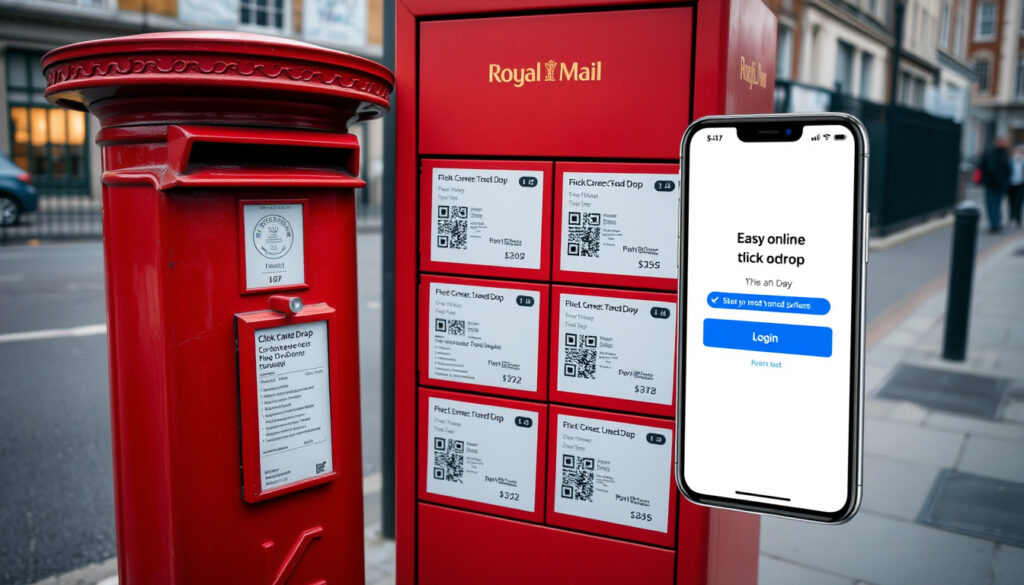
Click and Drop Royal Mail – Login, Tracking and Drop-Off Guide
Royal Mail Click & Drop is an online postage service that allows businesses and individuals to buy and print shipping labels, manage orders, and track parcels directly from their computer. The platform streamlines the sending process by eliminating the need to visit a post office for every shipment.
Available through the official Royal Mail parcel portal, the service connects with popular online marketplaces and provides access to thousands of drop-off locations across the country. Whether shipping a few items occasionally or managing hundreds of parcels weekly, Royal Mail Click & Drop offers a centralised way to handle postage without interruption to daily routines.
This guide covers everything from setting up an account and logging in to tracking your parcels and finding the right drop-off point for your needs.
How to Log In to Royal Mail Click & Drop
Accessing Click & Drop begins with visiting the official service website at parcel.royalmail.com. From there, returning users can select the login option and enter their credentials. Business account holders with an Online Business Account should use the dedicated business portal at business.parcel.royalmail.com for access to additional features tailored to commercial use.
New users follow a straightforward registration process. On the Click & Drop homepage, clicking ‘Sign Up’ opens the account creation panel. Individuals selling through online stores regularly will find the relevant option and can begin entering their details immediately. The system prompts users to confirm whether they are registering as a business customer or personal user.
Setting Up a Business Account
For business customers, registration includes an extra step requiring OBA account information. During sign-up, users must select the option confirming they will use their Royal Mail Online Business Account to pay for labels. The OBA account number starts with a zero and appears on any sales order receipt issued by Royal Mail. Alongside this, users provide their posting location number to complete the business registration.
After submitting the initial details, the system sends follow-up instructions via email. Users complete the process by clicking the links provided and following any remaining on-screen prompts. Once finished, the account is active and ready for label purchasing and order management.
Royal Mail recommends using Click & Drop for label creation rather than logging into the OBA portal separately. While the two systems share billing information, Click & Drop handles the practical side of purchasing and printing postage. The OBA account remains available for reviewing invoices and managing billing preferences independently.
An online postage service for buying and printing shipping labels from a computer or mobile device without visiting a post office.
Integration with major marketplaces, over 130,000 drop-off points, automated order downloads, and cost savings for high-volume shippers.
Visit parcel.royalmail.com, use business.parcel.royalmail.com for business accounts, and complete registration with email verification.
Lockers, Royal Mail Shops, Post Office branches, postboxes, Parcel Postboxes, and direct drop-off at collection offices.
Key Points to Remember
- The Click & Drop platform works entirely online, requiring only a device with internet access to manage shipments.
- Integration with eBay, Amazon, Magento, Shopify, Not On The High Street, and Etsy means orders download automatically into the portal.
- Royal Mail specifically recommends the service for customers sending over 20 parcels per week due to available cost savings.
- Offline orders can be uploaded in bulk using a spreadsheet containing First Name, Last Name, Shipping Address, City, and Postcode.
- The address book feature allows saving frequently used addresses under a reference number for faster processing.
- Customs labels for international shipments to the EU and USA can be generated directly within the platform.
- Manifests and dispatch tracking help maintain organised shipment records and confirm deliveries.
| Feature | Details |
|---|---|
| Service Name | Click & Drop |
| Provider | Royal Mail |
| Primary Use | Buy and print postage online |
| Drop-Off Points | Over 130,000 |
| Supported Marketplaces | eBay, Amazon, Magento, Shopify, Not On The High Street, Etsy |
| Business Integration | OBA billing, automated order downloads |
| Recommended For | Shippers sending over 20 parcels per week |
| International Customs | EU and USA supported |
Tracking Parcels Sent via Click & Drop
Once a label is created and the parcel dispatched, tracking becomes available through Royal Mail’s dedicated tracking service at royalmail.com/track-your-item. Each shipment receives a unique reference number generated at the time of label creation, which can be entered on the tracking page to view current status and delivery progress.
The Click & Drop dashboard also stores recently tracked items for logged-in users. This history makes it easier to monitor multiple shipments without searching through emails or separate documents for each reference number. When an order is marked as dispatched within the platform, the tracking information updates automatically as the parcel moves through the postal network. Royal Mail Click & Drop integrates seamlessly with the broader Royal Mail tracking infrastructure, ensuring end-to-end visibility.
Understanding Tracking Updates
Royal Mail tracking provides several status milestones as a parcel travels from sender to recipient. These typically include confirmation of dispatch, arrival at regional sorting facilities, and final delivery. Each update reflects the barcode scan at various handling points along the route.
For orders imported from connected marketplaces, the tracking number syncs with the relevant marketplace listing, allowing buyers to follow delivery progress without needing to visit a separate Royal Mail page. Sellers benefit from having all tracking data in one place within the Click & Drop portal.
Managing Dispatch Records
The Manifests and Dispatch Tracking section within the dashboard serves as a central record of all shipments sent through the account. Sellers can generate manifest documents to accompany bulk drops, providing an official record of what has been handed over to Royal Mail at any given time.
Tracking numbers are generated automatically when labels are created. Keeping a record of these numbers, either within the Click & Drop dashboard or in a separate document, ensures you can resolve delivery disputes quickly if a parcel appears delayed or goes missing.
Click & Drop Locations and Drop-Off Points
One of the practical advantages of using Click & Drop is the extensive network of drop-off locations available across the country. With over 130,000 points, senders can typically find a convenient location nearby without making a special trip to a main post office. These locations accept parcels and packages during extended hours that suit busy schedules.
The available drop-off options include standard parcel lockers, Royal Mail Shops, Post Office branches, postboxes, and dedicated Parcel Postboxes. Each type of location accepts different sizes and weights of parcels, so it helps to know what options exist near you before preparing a shipment.
Types of Drop-Off Locations
- Parcel Lockers – Automated machines allowing 24-hour drop-off of appropriately sized parcels.
- Royal Mail Shops – Dedicated postal retail locations offering full service and advice.
- Post Office Branches – High street branches that accept parcels alongside other postal services.
- Postboxes – Standard street postboxes for smaller letters and lightweight parcels that qualify for boxable rates.
- Parcel Postboxes – Larger versions of standard postboxes designed specifically for parcel-sized items.
In addition to these options, parcels can be dropped directly at Royal Mail collection offices. This option bypasses Post Office branches entirely, which some senders find more convenient when dealing with larger or heavier packages that may require specific handling.
Before dropping off a parcel, ensure the shipping label is securely attached and the barcode is visible and undamaged. Royal Mail scanning equipment reads the barcode at the drop-off point, which confirms the parcel has entered the postal system and begins the official tracking record.
Using Click & Drop for Business and OBA
Royal Mail designed Click & Drop with business users in mind, offering features that simplify high-volume shipping operations. The Online Business Account, commonly referred to as OBA, serves as the billing layer beneath Click & Drop. When a business registers for Click & Drop and links their OBA account, postage costs accrue to the same billing structure used for other Royal Mail services.
The OBA account number always begins with a zero and can be found on any sales order receipt provided by Royal Mail. New business customers without an existing OBA account can establish one during the Click & Drop registration process by following the prompts to create a new business account.
Integration with Sales Channels
Connecting Click & Drop to an online store or marketplace automates much of the shipping workflow. When linked, new orders from channels such as eBay, Amazon, Magento, Shopify, Not On The High Street, and Etsy appear automatically in the Click & Drop Orders section marked as ‘New’. From there, users can review the details, print the appropriate label, and update the order status without manual data entry.
For businesses operating partially or fully offline, the bulk upload feature offers a practical alternative. Preparing a spreadsheet with the required fields—First Name, Last Name, Shipping Address 1, Shipping Address City, and Shipping Address Postcode—allows multiple customer records to be imported at once, reducing repetitive typing and the risk of input errors.
Dashboard Capabilities
The Click & Drop dashboard provides access to all major functions through a clear, tabbed interface. The Label Integration section handles postage purchase and printing, while the Customs Labels tab generates the documentation required for international shipments to the EU and USA. The Create Orders section allows building shipments from scratch by entering postcodes, with the system automatically expanding these into full addresses.
How Click & Drop Differs from Traditional Postage Methods
Traditional in-person postage requires visiting a post office during operating hours, queueing for service, and potentially making multiple trips if an item does not fit standard size requirements. Click & Drop removes these friction points by handling everything digitally from purchase to label printing, with drop-off available through a far wider network than high street post offices alone.
The integration with online marketplaces sets Click & Drop apart from basic online postage tools. Automatically receiving orders eliminates manual re-entry of addresses, reducing errors and saving time for regular sellers. The address book feature further speeds up processing by allowing frequently used delivery addresses to be saved under simple reference numbers rather than typed out repeatedly.
Royal Mail describes Click & Drop as a quick and easy way to buy postage online, suited to both occasional senders and businesses managing regular shipments.
Royal Mail recommends Click & Drop specifically for customers sending over 20 parcels per week, citing cost savings available through the service compared to standard counter postage rates. This makes the platform particularly attractive to small businesses, e-commerce sellers, and anyone who regularly ships goods through the postal system.
What Is Confirmed and What Remains Unclear
The core functionality of Royal Mail Click & Drop is well-documented through official Royal Mail sources and authorised resellers. The login process, account setup for both personal and business users, OBA integration, marketplace connections, and drop-off network are clearly described across multiple sources and remain consistent in their details.
Some areas lack detailed public documentation. For instance, the precise limits on bulk upload file sizes or detailed instructions for advanced customs scenarios involving countries outside the EU and USA are not prominently covered in available materials. Users with complex international shipping needs may need to contact Royal Mail directly for specific guidance.
Summary
Royal Mail Click & Drop provides a practical online solution for purchasing and printing postage without visiting a post office. The service suits both occasional senders and businesses, particularly those shipping over 20 parcels weekly who benefit from marketplace integration and OBA billing. With access to over 130,000 drop-off locations and tools for order management, tracking, and customs documentation, the platform consolidates much of the shipping workflow into a single dashboard.
Those interested in learning more about nearby postal services may find it useful to explore additional resources such as One Stop Near Me – Stores, Hours, Delivery & Deals for local retail and service information.
Frequently Asked Questions
What is Royal Mail OBA?
OBA stands for Online Business Account, a separate billing system allowing Royal Mail business customers to manage and pay their postage bills online.
How does Click and Collect work with Royal Mail?
Click and Collect refers to the option of ordering items online and picking them up from a local collection point rather than having them delivered to a home address.
Can I use Click & Drop without a business account?
Yes, personal users can register and use Click & Drop for occasional postage purchases without needing an OBA account.
What happens if I lose my tracking reference number?
Logged-in users can view their tracking history within the Click & Drop dashboard. Keeping records of order reference numbers helps resolve any delivery disputes quickly.
Can I print customs labels for international shipments?
Yes, the Click & Drop platform includes a Customs Labels section for generating the documentation required for international shipments to the EU and USA.
How do I know which drop-off location to use?
Royal Mail provides over 130,000 drop-off points including lockers, Post Office branches, and Parcel Postboxes. Choose based on parcel size and proximity to your location.
Is Click & Drop suitable for sending over 20 parcels per week?
Royal Mail specifically recommends Click & Drop for high-volume shippers, citing cost savings compared to standard postage rates.
More related posts
 Jude Riordan: Age, Family, Net Worth & Corrie Role
 Man’s Shoes: Sayings, Rules, and Trends Explained
 Fast Results Horse Racing Today: Live UK & Irish Updates
 Houses for Sale Near Me: Repossessed, Cheap & by Owner
 Best Restaurants Near Me Open Now in Dublin: Top Picks
 Map of South America: Countries, Safety & Key Facts
 Leona Lewis: Illness, Baby, and Simon Cowell Fallout
 Cast of The 100: Actors, Characters and Seasons Guide